OpenCode Tutorial
1. Overview
1.1 What is OpenCode?
OpenCode is an open-source AI coding agent with OS-level permissions. Unlike web-based LLMs, it can:
- Read, modify, and create files
- Execute terminal commands
- Search and analyze codebases
- Auto-fix errors (closed-loop development)
1.2 Core Features
| Feature | Description |
|---|---|
| Open Source | GitHub 100k+ Stars, free |
| Multi-Model | 75+ providers |
| Privacy First | Local models supported |
| Terminal UI | Low resource usage |
| Default Agents | Build Mode + Plan Mode |
2. Why CLI ( Command Line Interface ) over Web Chat
2.1 Core Differences
| Aspect | OpenCode CLI | Web LLM |
|---|---|---|
| Role | Doer | Consultant |
| Interaction | Direct file read/modify | Manual copy-paste |
| Context | Full repo awareness | Single session only |
| Closed-loop | Auto-fix | Manual feedback |
| Privacy | Fully local | Cloud API |
2.2 Key Changes
- Context Management: Auto-scan Git repo, build AST/Repository Map
- I/O Revolution: Generate Git Diff directly, no copy-paste
- Agentic Loop: Write → Run → Error → Auto-fix → Success
When you want to ask/learn something, go for free Web LLM chatting.
When you want to do/build something, choose CLI Coding Agents wisely.
3. Installation
UPDATE: OpenCode Desktop is now highly recommended.
Download it from the official website: OpenCode Desktop
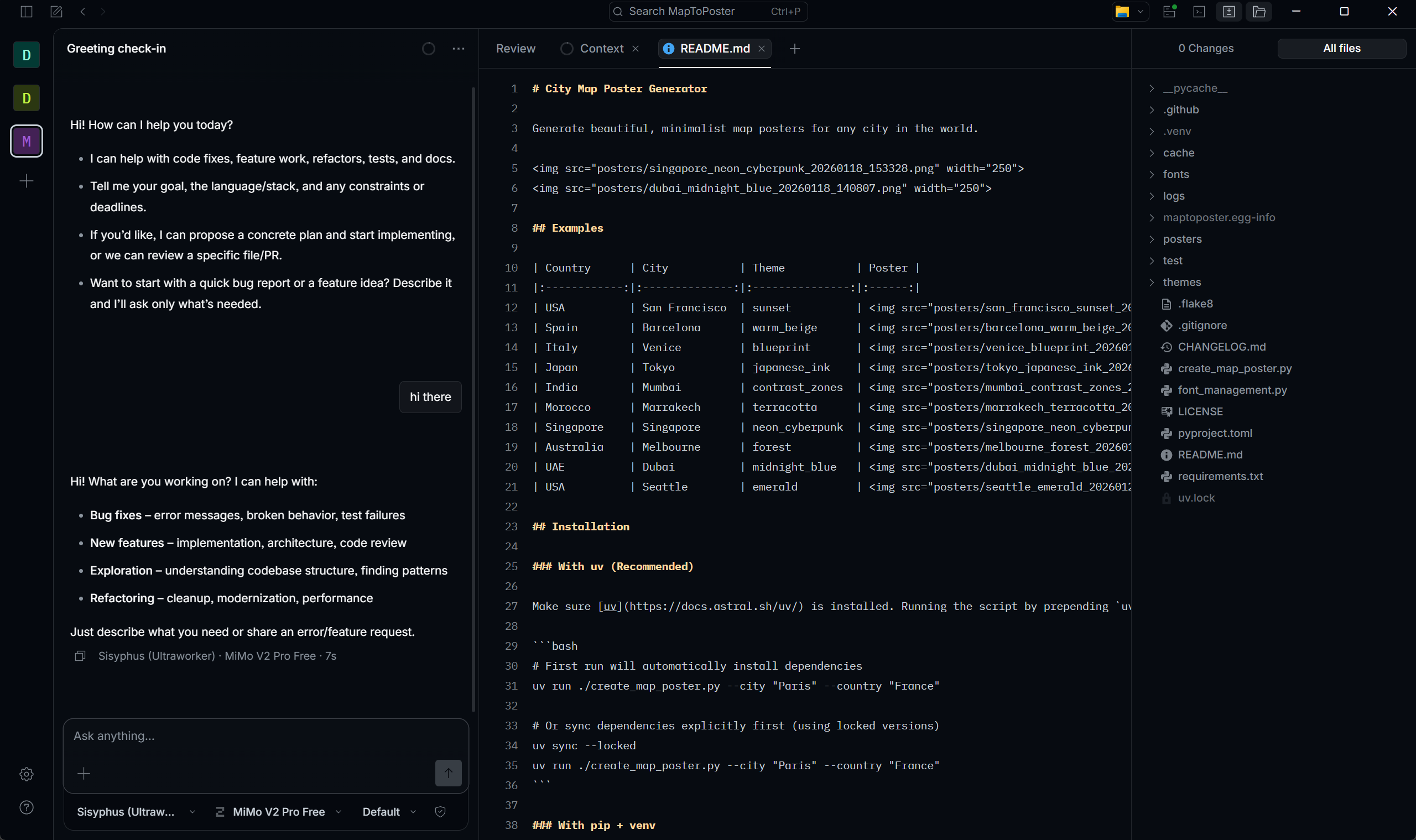
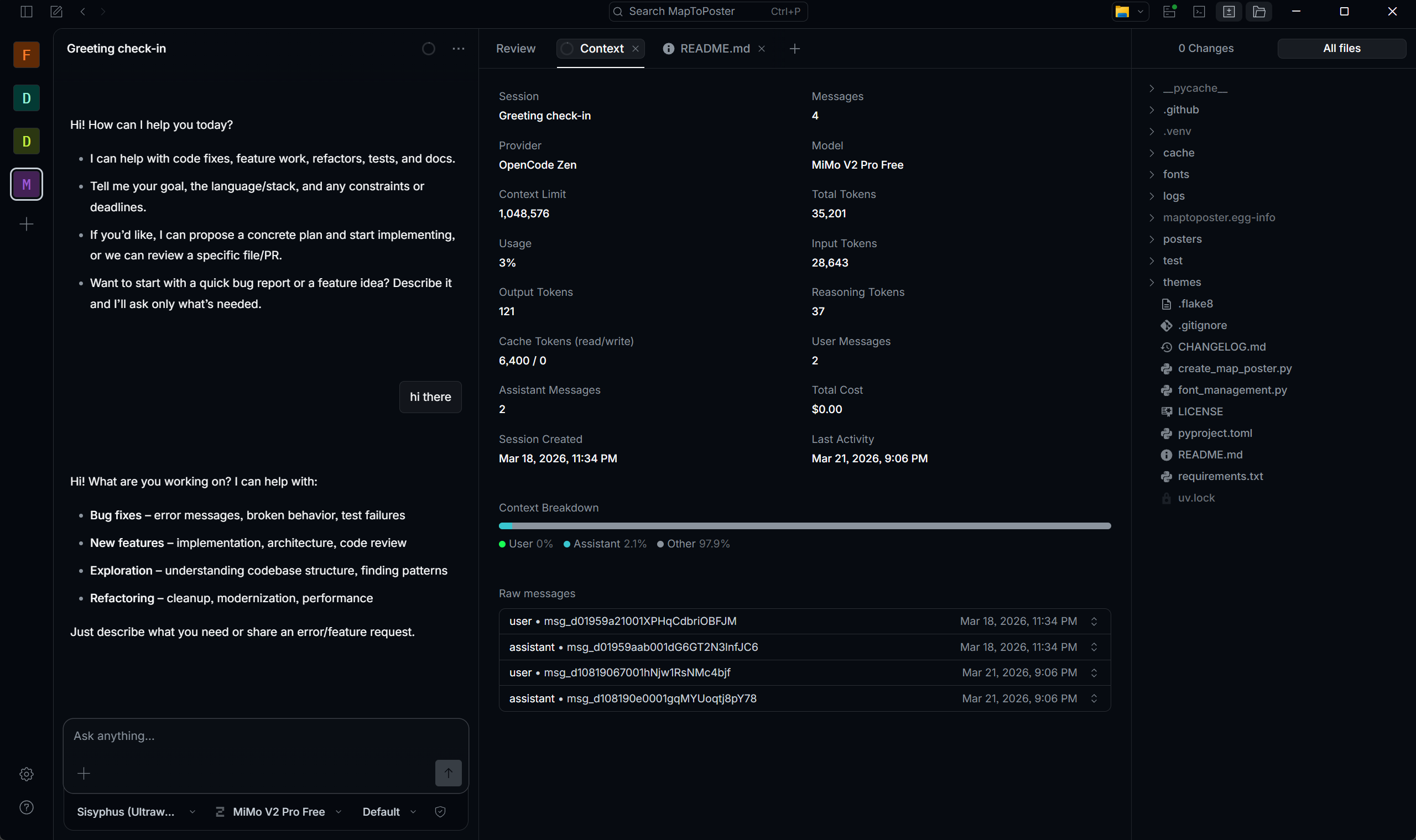
OpenCode Desktop provides a more intuitive experience, allowing you to order in the session and view changes simultaneously. Its user-friendly interface makes your development faster and more efficient.
3.1 CLI Quick Install
1 | # Linux/macOS |
3.2 Verify Installation
1 | opencode --version |
3.3 First Launch
1 | cd /path/to/your/project |
/init scans your code structure and generates AGENTS.md for better context understanding.
4. Commands & Models
4.1 Slash Commands
| Command | Function | Shortcut |
|---|---|---|
/init |
Initialize project | Ctrl+X I |
/models |
List/switch models | Ctrl+X M |
/connect |
Configure LLM provider | - |
/undo |
Undo last action | Ctrl+X U |
/redo |
Redo action | Ctrl+X R |
/share |
Share session | Ctrl+X S |
/new |
New session | Ctrl+X N |
/sessions |
List sessions | Ctrl+X L |
/compact |
Compact session | Ctrl+X C |
/exit |
Exit | Ctrl+X Q |
4.2 Free Models
| Model | Use Case |
|---|---|
| Minimax M2.5 Free | General tasks |
| Trinity Large Preview | Fast response |
| Big Pickle | Code generation |
4.3 Other Commands of OpenCode
| Command | Function |
|---|---|
opencode models |
List all the models in terminal |
opencode auth login |
Connect your provider |
opencode auth logout |
Clear your provider |
4.4 Default Agents
| Mode | Description |
|---|---|
| Build | Full permissions, default |
| Plan | Read-only, press Tab to switch |
5. Configuration
5.1 Config Location
- Windows:
%USERPROFILE%\.config\opencode\opencode.json - macOS/Linux:
~/.config/opencode/opencode.json
5.2 Basic Config
1 | { |
5.3 Multi-Model Config
1 | { |
*5.4 Local Ollama Setup (Configure A Local LLM)
UPDATE:
After deeper research, I find that local models (for PC) perform poorly when the context rapidly grows. If the input context is a little bit larger, the reasoning time of the output doubles.
In a word, you better not use local models in OpenCode with oh-my-opencode, unless for privacy.
Step 0: Configure Environment Variables
( if you don’t want the large models to be installed on your C drive )
- Open the Environment Variables
- Create a new system variable
- The variable name is
OLLAMA_MODELS - The variable value is the directory where models should be, like
D:\OllamaModels
Step 1: Install Ollama
Visit https://ollama.com to download
Step 2: Pull Models
Choose the model on your own, and depend on your hardware.
1 | # I recommend this model for 32G Memory and RTX 5060 Laptop or higher |
Step 3: Configure OpenCode
Just run ollama launch opencode in terminal.
Or config it yourself at %USERPROFILE%\.config\opencode\opencode.json like this:
1 | { |
Ollama baseURL must include /v1 suffix.
5.5 Third-Party API Proxy
Any OpenAI-compatible proxy works.
First, configure in opencode.json:
1 | { |
Second, run opencode auth login to authenticate:
1 | opencode auth login |
API keys are stored in ~/.local/share/opencode/auth.json when added via /connect.
5.6 Recommended API Sources
| Source | Free Tier | Notes |
|---|---|---|
| GitHub Copilot | Free for students (Education Pack) | OAuth login via /connect → GitHub Copilot; supports Claude Opus 4.5, GPT-5.2, etc. |
| ModelScope | 2000 calls/day | Get token at modelscope.cn; baseURL: https://api.modelscope.cn/v1 |
| VoAPI (Public) | Free quota by daily check-in | Register at demo.voapi.top; baseURL: https://demo.voapi.top/v1; supports basic models |
6. Oh My OpenCode Plugin
Without Oh My OpenCode, OpenCode only operates at 30% capacity.
6.1 What is Oh My OpenCode?
Plugin that upgrades single agent to multi-agent collaboration team.
GitHub: code-yeongyu/oh-my-opencode
6.2 Core Agents
| Agent | Role |
|---|---|
| Sisyphus (Ultraworker) | Main orchestrator, delegates to specialized agents, drives parallel execution until 100% completion. |
| Hephaestus (Deep Agent) | Deep research, hard logic-heavy tasks, thorough analysis |
| Prometheus (Plan Builder) | Codebase navigation, exploration, pattern discovery |
| Atlas (Plan Executor) | Implements pre-defined multi-step plans |
6.3 ULW Trigger
Add ultrawork or ulw to prompt:
1 | ultrawork: Implement a React component with dark mode. |
Effect:
- Sisyphus takes over
- Auto-assign sub-tasks to specialized agents
- Parallel execution
- 100% completion before stopping
6.4 Multi-Agent vs Single-Agent
1 | Single-Agent: |
Token Warning: Multi-agent mode significantly increases token usage.
6.5 Install Oh My OpenCode
Paste into OpenCode:
1 | Follow the installation guide: |
6.6 Additional Features
| Feature | Description |
|---|---|
| 20+ Hooks | Workflow automation |
| MCP Integration | Context7, grep.app |
| LSP Support | Refactoring, navigation |
| Multi-Model | Auto task allocation |
*6.7 Model Configuration
Customize agents and categories in %USERPROFILE%\.config\opencode\oh-my-opencode.json.
| Agent | Role | Recommended Model |
|---|---|---|
| Sisyphus | Main orchestrator, task delegation | General-purpose models with strongest comprehensive capabilities and largest context windows |
| Hephaestus | Deep execution, complex bug fixing | Models with extremely strong code generation and logic capabilities; free unlimited models recommended to prevent rate limits |
| Oracle | Architecture design, debugging | Top-tier reasoning models with strong Chain-of-Thinking (CoT) |
| Librarian | Documentation, code research | Models with ultra-long context understanding and extremely low cost |
| Explore | Fast code search | Low-latency models; local small-parameter high-frequency models recommended for zero-cost fast concurrency |
| Multimodal-Looker | Vision analysis (screenshots, PDFs) | Native multimodal models with powerful Vision capabilities |
| Prometheus | Task planning | Models with strong logical reasoning capabilities |
| Metis | Plan consulting | Models with strong logical reasoning and critical analysis |
| Momus | Code review | Models with strong instruction following and critical thinking |
| Atlas | Plan execution | Models with strong instruction following and fast response |
| Category | Use Case | Recommended Model |
|---|---|---|
| visual-engineering | Frontend, UI implementation | Models with strong Vision capabilities and frontend expertise |
| ultrabrain | Heavy logic, algorithm rewrite | Top-tier reasoning models with extreme computational power |
| deep | Deep code implementation | Models with strong logical reasoning capabilities |
| artistry | Creative code design | Models combining creativity and reasoning |
| quick | Small fixes | Small-parameter fast models |
| unspecified-low | Simple tasks | Small-parameter fast models |
| unspecified-high | Complex unspecified tasks | High-reasoning-capability models |
| writing | Documentation, comments | General-purpose models |
6.8 Slash Commands & Skills
Oh My OpenCode adds its own slash commands on top of OpenCode’s built-ins:
| Command | Description |
|---|---|
/init-deep |
Generate hierarchical AGENTS.md throughout the project tree |
/start-work |
Execute a Prometheus-generated plan via Atlas |
/ralph-loop |
Self-referential loop — agent keeps working until task is done |
/ulw-loop |
Same as ralph-loop but with ultrawork mode active |
/refactor |
LSP + AST-grep powered refactoring with TDD verification |
/cancel-ralph |
Stop an active Ralph Loop |
/handoff |
Create context summary for continuing in a new session |
/stop-continuation |
Stop all continuation mechanisms |
Built-in Skills (load via load_skills=[...] in agent prompts):
| Skill | Trigger | Description |
|---|---|---|
playwright |
Browser tasks, screenshots | Browser automation via Playwright MCP |
frontend-ui-ux |
UI/UX, styling | Designer persona — bold aesthetics, distinctive typography |
git-master |
commit, rebase, squash | Atomic commits, history rewriting, blame/bisect |
dev-browser |
Navigate, fill forms, scrape | Persistent browser state automation |