Voicemeeter & RVC Voice Changer Tutorial
I. Voicemeeter Setup
1. System Sound Settings
Configure your Windows sound settings as follows:
| Setting | Device |
|---|---|
| Default output device | Voicemeeter Input |
| Default communication output | Voicemeeter Input |
| Default input device | Voicemeeter Out B1 |
| Default communication input | Voicemeeter Out B1 |
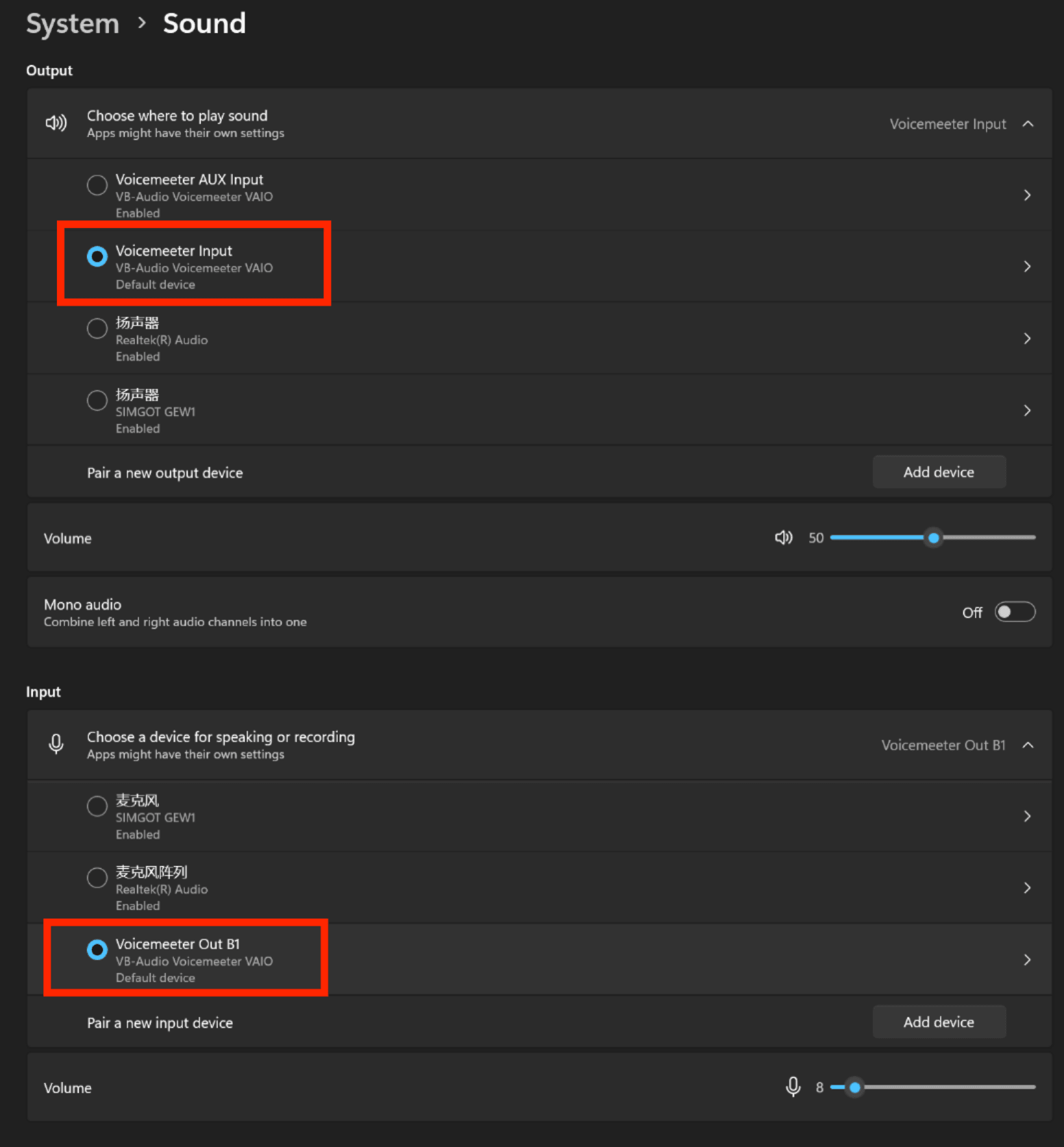
Note: At this point, system audio (e.g., software audio) will be output to Voicemeeter Input. The input side will not detect audio input because Voicemeeter Out B1 is not a physical sound card.
2. Voicemeeter Configuration
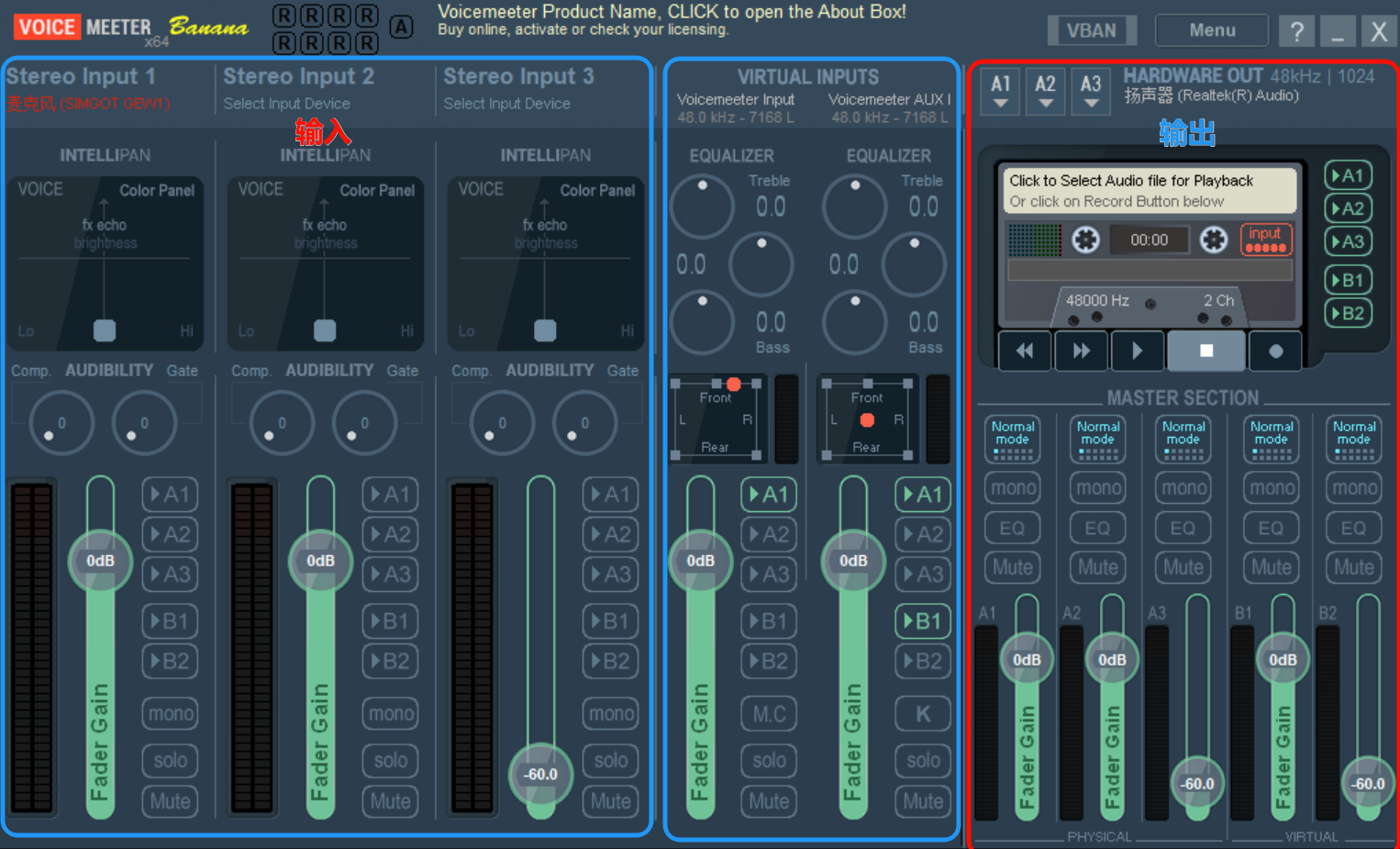
Interface Overview
- A = Hardware Output (monitoring)
- B = Virtual Output (output to applications)
Channel Layout
| Section | Description |
|---|---|
| Left Area | Audio input from physical devices (e.g., microphone) |
| Middle Area | System and software audio input |
| Right Area | Master output control - A for hardware monitoring, B for software output |
Routing Guide
For Self-Monitoring:
- Check A1 in the corresponding input channel
- Audio will be routed to A1 and output to headphones for monitoring
For Application Output:
- Check B1 in the corresponding input channel
- Software will receive processed audio through the default input device (Voicemeeter Out B1)
The physical input and output devices must be set to MME format.
Using other formats will affect voice changing quality and increase latency.
II. RVC Voice Changer
1. System Requirements
Minimum Configuration:
- GPU: NVIDIA GTX 1060 6GB or AMD RX580 8GB
- CPU: Intel Core or AMD Ryzen (quad-core or above)
- RAM: 8GB or above
- OS: Windows 10 or Windows 11
Recommended Configuration:
- GPU: RTX 3060 8GB
- CPU: Intel 12th Gen Core i5 or Ryzen 7000 series or above
- RAM: 32GB or above
- OS: Windows 10 or Windows 11
Note: AMD and Intel graphics cards currently have higher latency. NVIDIA RTX 20 series or higher is recommended for optimal performance.
2. Running the Application
After downloading RVC, navigate to the installation directory:
1 | RVC/ |
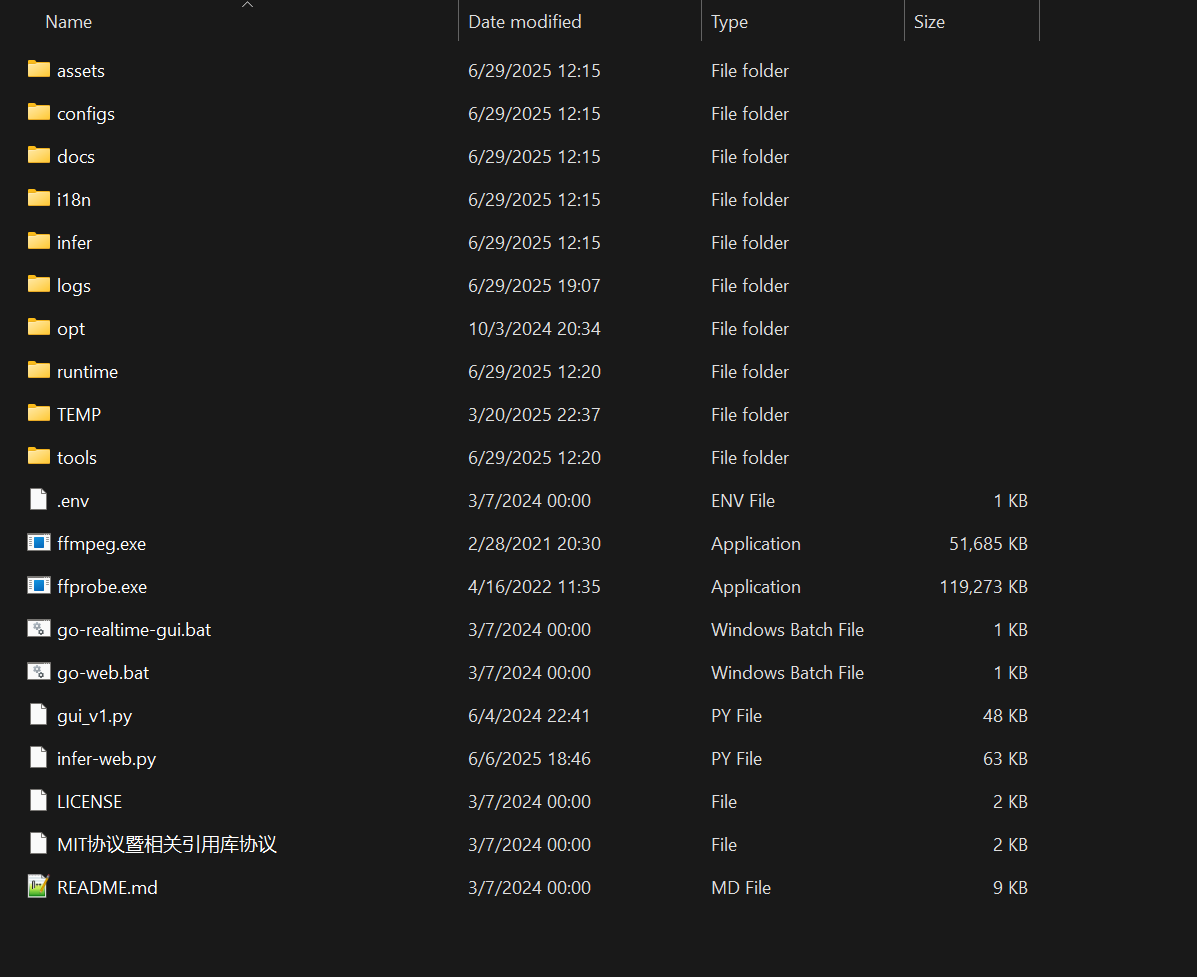
Run go-realtime-gui.bat to start the real-time voice changer.
3. Basic Software Settings
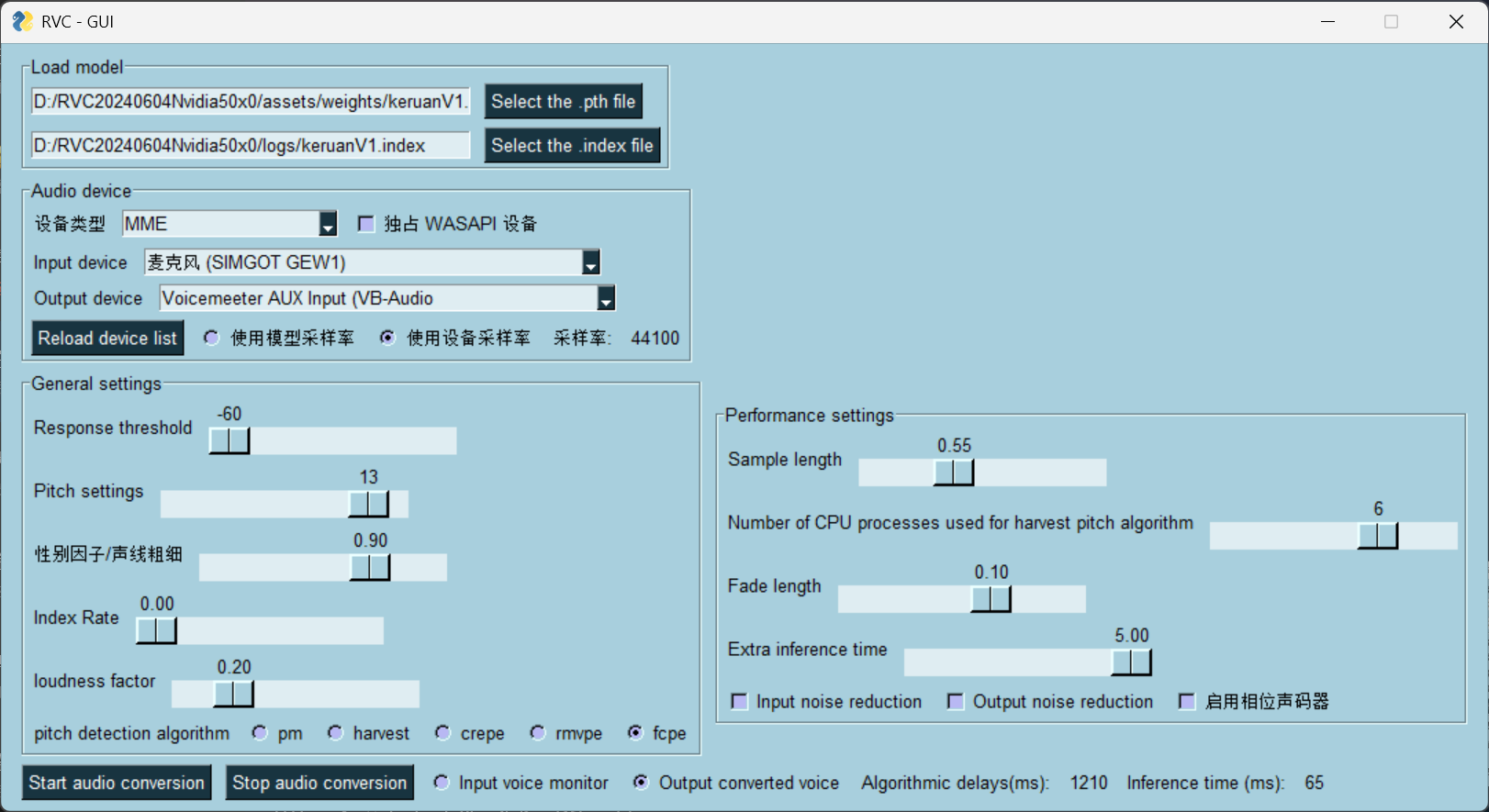
Configuration steps:
- Select the
.pthmodel file and corresponding.indexindex file (optional) - Set device type to MME
- Input device: Select your physical microphone
- Output device: Select Voicemeeter AUX Input (separate from system sound)
- Enable “Use device sample rate”
4. Parameter Tuning Guide
Basic Parameters
| Parameter | Description | Recommended Values |
|---|---|---|
| Response Threshold | Filters audio below threshold | Higher = may swallow words |
| Pitch | Voice pitch adjustment | Male→Female: ~12, Female→Male: ~-12, Same gender: ~0 |
| Gender Factor | Voice thickness | Positive = thinner, Negative = thicker |
| Index Rate | Model similarity enhancement | 0 if no matching index file; increase for better similarity |
| Loudness Factor | Output volume level | Higher = louder |
Pitch Detection Algorithms
Available Algorithms:
- pm: Lowest latency, lowest CPU. Good for singing, poor for speech in noisy environments
- harvest: Best quality, higher CPU. Increase process count to reduce latency
- crepe: Similar to harvest, GPU-intensive. Mostly superseded by rmvpe
- rmvpe ⭐: Excellent default performance, faster than harvest/crepe, minimal GPU usage, highly recommended
Advanced Settings
- Sample Length: Determines latency. Lower = less latency, but may cause stuttering
- Fade Length: Affects naturalness vs. latency trade-off
- Extra Inference Time: 1-3 seconds recommended. Higher = better word recognition, affects CUDA usage
CPU Process Count (Harvest algorithm only):
- Affects sound quality; not recommended above 4
- Determines max CPU threads for pitch algorithm
- Lower values reduce gaming performance impact but increase inference latency
- If inference latency meets requirements, use the lowest possible value
III. Audio Workflow

Download Links & Resources
VoiceMeeter Banana ( Recommended ):
Retrieval-based-Voice-Conversion:
Official Sources:
- GitHub (Source Code): RVC-Project/Retrieval-based-Voice-Conversion-WebUI
- Note: For developers only; use integrated packages below
Download Mirrors:Resource Link Full Collection yuque.com/flowercry/hxf0ds Baidu Netdisk pan.baidu.com/s/19530AOh2H3Feuti_D51cXw?pwd=reqy (requires Super VIP)已失效
- Note: For developers only; use integrated packages below
Community:
- RVC Voice Changer Group: 1026902887